.png?width=210&height=60&name=zitadel-logo_text-dark%20(1).png)
Customer Portal Administrators allows you to manage the individuals authorized to access your Customer Portal. Currently, all users granted access to the Customer Portal are assigned the "Admin" role.
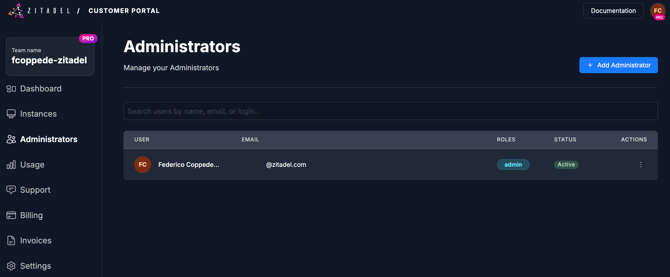
Add a New Administrator
-
Navigate to the Administrators tab in the ZITADEL Customer Portal.
-
Click the Create button.
-
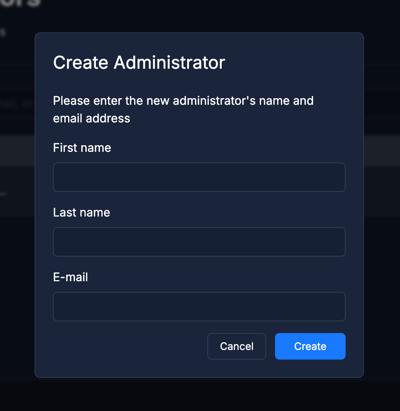
Fill in the First Name, Last Name and Email.
-
Click Create.
The new user will receive a verification email. Clicking the link in the email will direct them to the activation screen, where they will be required to set a password.
Delete an Administrator
-
Navigate to the Administrators tab in the ZITADEL Customer Portal.
-
Locate the user you wish to remove in the users table and click the bin (trash) icon.
-
A confirmation popup will appear. Enter the login name of the user to confirm you want to proceed with the deletion.
-
Click the Delete button.
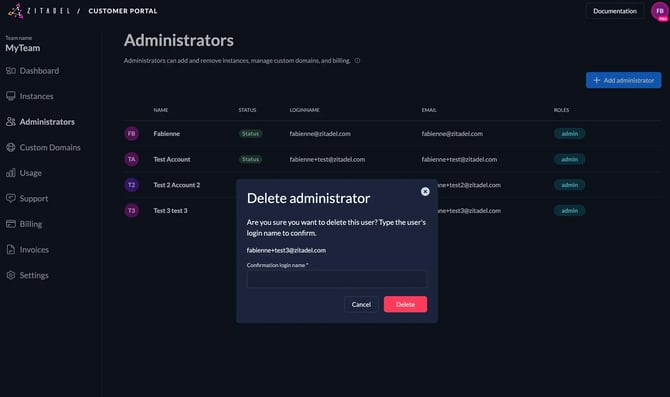
Once deleted, the user is removed immediately and will no longer have access to the Customer Portal.